How to Stream Your FM Radio Station Online: A Simulcast Guide for Broadcasters
Your FM signal reaches as far as your transmitter allows, and for years that was enough. But your listeners don’t stay inside your coverage map. Some moved to another city or another country, some commute beyond the last town your signal reaches, and many now listen on a phone more often than on a radio. If you want to stream FM radio online, the good news is that you don’t need to rebuild your station. You already have the hardest parts: the programming, the voices and the community. What’s left is getting that same signal onto the internet without losing quality along the way.
That last part is where many stations stumble. Plugging a cable into a computer is easy; doing it in a way that sounds as good as your FM signal, respects your rights agreements and lets you measure your new audience takes a bit more planning. A stream that sounds harsh, runs several seconds behind the air or shows a blank song title can make a strong station sound amateur online.
In this guide, written for station managers and engineers, we cover three ways to get your FM signal online and how to choose between them. Then we look at where to take your audio feed, what changes when you broadcast on the internet, how to measure your online listeners and a checklist for launch day.
Why Stream FM Radio Online?
Before choosing a setup, it helps to be clear about what a stream adds to an FM station, because that shapes every decision that follows. A simulcast, the same program on FM and online at the same time, doesn’t replace your transmitter. It extends it.
In practice, it reaches three groups your antenna can’t. The first is the diaspora: people from your city or country who live abroad and still want their hometown station in the morning. The second is listeners inside your area who no longer own a radio, at home or at work, and listen on phones, computers and smart speakers. The third is drivers who use their phone in the car through apps and in-dash systems. Each group shows up in different places, which is why your stream works best when it’s easy to find on a website, in an app and in the car. Our guides to radio for diaspora communities and CarPlay and Android Auto for radio apps go deeper into each audience.
Three Ways to Get Your FM Signal Online
Every FM station already produces a finished program in its studio. The question is how to send that program to a streaming server. Depending on what you already have, there are three common paths.
1. An Encoder Fed From Your Console
This is the most common setup and, in most cases, the best one. You take an audio output from your broadcast console, send it into an audio interface on a dedicated computer and run an encoder that sends it to your station on Zeno. Free encoders such as BUTT work well for this: they capture the input, compress it and keep the connection open around the clock. Our step-by-step guide on how to use BUTT walks you through the setup.
The advantage is control. You decide which feed goes online, at what quality and with what processing. The trade-off is that you need a computer in the studio or rack that stays on, connected and updated.
2. A Master Relay Link From Your Existing Stream
Some FM stations already stream on another server, sometimes set up years ago by a previous engineer or a local provider. In that case, you don’t need a new encoder. A Master Relay Link lets Zeno take that existing stream URL as its source and rebroadcast it, so your current setup keeps running and Zeno distributes the signal. It’s available on all Zeno plans.
This is the fastest path when you already have a stable stream. Keep in mind that the source audio still lives on the other server, so its quality and reliability depend on that setup, and Zeno’s support for it is more limited. Our help center article on what a Master Relay Link is explains the details.
3. An Off-Air Receiver as a Last Resort
Some small stations connect an FM receiver to the encoder computer and stream what comes off the air. It works, and it can be a quick temporary fix, but it’s the weakest option. Your stream inherits everything that affects FM reception, such as noise, interference and multipath, plus all the processing designed for the transmitter. Use it only while you set up a proper feed from the console.
To choose quickly, use this table:
| If your station… | Best path | Why |
|---|---|---|
| Has a console and can dedicate a computer to the stream | Encoder fed from the console | Best sound and full control over quality and processing |
| Already streams on another server | Master Relay Link | No new encoder; Zeno rebroadcasts the stream you already have |
| Needs to go online today with no studio changes | Off-air receiver, temporarily | Quick start while you prepare a feed from the console |
Take Your Feed Before the FM Processor
If you choose an encoder, the next decision is where in your signal chain you take the audio. This detail separates streams that sound professional from streams that sound tiring after ten minutes.
In a typical FM station, the program leaves the console, passes through an audio processor and then goes to the transmitter. That processor is tuned for FM: it adds pre-emphasis, which boosts high frequencies to fight noise over the air, and it limits and clips the audio heavily to sound loud on the dial. Those choices make sense for a transmitter, but a streaming codec works differently. When a stream receives audio that has already been pushed that hard, it often sounds harsh, with brittle highs and audible distortion, especially at lower bitrates.
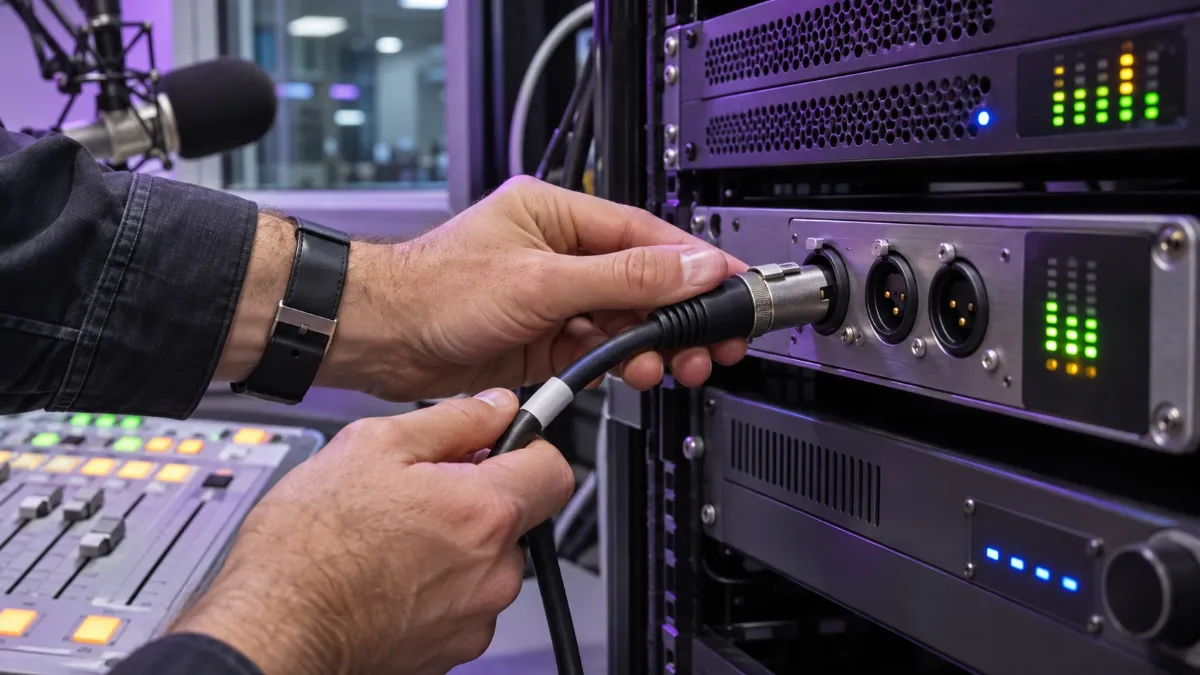
How it connects: take a program output from the console, before the FM processor, and run it to the line inputs of an audio interface on the stream computer. If your console has a spare program or auxiliary output, use it; if not, a distribution amplifier can split the program feed so both the processor and the stream receive a clean copy. On the computer, the encoder uses the interface as its input. If you want the stream to sound louder and more consistent, apply light processing designed for streaming on that computer rather than reusing the FM chain. Then set your format and quality: Zeno supports MP3 and AAC, and the maximum bitrate depends on your plan, up to 128 kbps on Starter, 192 kbps on Prime and 320 kbps on Premier. Our guides to audio formats for internet radio and HLS streaming for radio explain the trade-offs between formats.
What Changes When You Go Online
Once the signal flows, the technical part is mostly done. The operational part is where FM stations get surprised, because a few things that work automatically on air behave differently on the internet.
Music Rights and Territories
Your FM license and your agreements for over-the-air broadcasting don’t automatically cover the internet. In many countries, streaming requires separate permissions from the organizations that manage music rights, and some content you carry on FM, such as sports, syndicated shows or network programs, may come with restrictions on where it can be heard online. Before launch, review what your agreements cover and ask the rights organizations in your country what internet broadcasting requires.
When a program can only be heard in certain countries, geo-blocking helps you respect that limit. On Zeno, it’s available on the Prime and Premier plans and lets you allow or block listeners by country. Our guides to internet radio licensing and music licensing for internet radio cover the basics.
Advertising
Your advertisers bought spots on FM. When the same program runs online, their ads reach a new audience too, which can be good news or a contract question, depending on your agreements. Review them before launch and, once you have numbers, present your online audience as added value in your next conversation with sponsors.
The stream can also open new inventory of its own. On the Premier plan, Zeno lets you run pre-roll campaigns, short ads that play when a listener starts the stream. Our guides to pre-roll ads for internet radio and building a radio media kit show how to package that audience for sponsors.
Delay
Your stream always runs a few seconds or more behind your FM signal, because listeners’ players need a small buffer to play smoothly. Most of the time nobody notices, but it matters when you give the time, run a contest that rewards the first caller or take calls from listeners who follow you online. Avoid “call right now” mechanics that favor FM listeners, and when you give the time, keep in mind that online listeners hear it a little later.
Metadata Is Not RDS
On FM, your station name and song titles may travel through RDS, the data system that shows text on car radios. That information doesn’t reach your stream on its own. Online metadata travels separately, from your playout software or encoder to the streaming server. If you skip this step, online listeners see a blank title or a file name instead of the song and your station name. Our guide to fixing radio metadata shows how to set it up.
Measure Your Online Audience With Relays
One advantage of streaming over FM is that you can see your audience in detail: how many people listen, when, from where and on which device. Relays make that data even more useful.
A relay is a copy of your main stream on its own mount point. If you give each platform its own relay, such as one for your website, one for your app and one for other players, you can compare where your listeners actually come from instead of seeing one combined number. Relays also let you offer different qualities: a lighter stream for listeners on mobile data and a higher-quality one for home listening, within your plan’s bitrate limit. You can set them up in your Zeno dashboard, and if you use LibreTime, Zeno’s automation software, you can configure relays there as well. Our help center article on what a relay is and our guide to reading your listener stats explain how to use that data.

Simulcast Launch Checklist
With the setup chosen and the operational details covered, launch day comes down to a short list. Review it with your engineer and your programming team before you announce the stream on air:
| Check | What to confirm |
|---|---|
| Feed | The stream takes audio from the console, before the FM processor |
| Format and quality | MP3 or AAC, at a bitrate within your plan’s limit |
| Stream computer | Dedicated, wired to the network, with automatic updates and sleep turned off |
| Rights | Internet permissions confirmed; geo-blocking set for restricted programs |
| Advertising | Agreements reviewed for online reach |
| Metadata | Station name and song titles show correctly in the player |
| Relays | One per platform you want to measure |
| Listening test | Stream checked on a phone, on mobile data, for at least a full hour |
FAQ
Do I need a separate license to stream my FM station online?
Often, yes. FM licenses and over-the-air music agreements don’t automatically cover the internet. Check with the rights organizations in your country and review your program agreements before launch.
Can I stream my FM station without buying new equipment?
Usually. If you already stream on another server, a Master Relay Link lets Zeno rebroadcast it. If not, a computer, an audio interface and a free encoder are enough to send the program from your console.
Why does my stream sound worse than my FM signal?
The most common reason is that the stream takes its audio after the FM processor. Take the feed from the console instead and apply light processing designed for streaming.
Why is my stream behind my FM signal?
Every stream uses a small buffer so it plays smoothly on listeners’ devices. A delay of a few seconds or more is normal.
Can I limit my stream to certain countries?
Yes. Geo-blocking lets you allow or block listeners by country, and on Zeno it’s available on the Prime and Premier plans.
Your Signal, Without Borders
Learning to stream FM radio online is less about technology and more about doing a few things carefully: choosing the right path, taking the feed before your FM processor, sorting out rights and advertising, sending clean metadata and measuring your new listeners. Do that, and your station sounds just as good on a phone across the world as it does on the dial at home.
When you’re ready, compare Zeno plans and choose the one that fits your station. And if you’ll use an encoder, our guide on how to use BUTT gets your first connection running in minutes.
November 11, 2026