How to Start a Church Radio Station Online
A church radio station lets your congregation share worship, teaching, and prayer with people who may never walk through your doors. This guide walks you through every step-from equipment and licensing to programming and promotion-so your church can launch its own online station and start reaching listeners this month.
Why churches are launching online radio stations
Imagine a small church deciding to reach the elderly members who can no longer drive to Sunday service, the commuters stuck in traffic during the week, and the curious neighbor who would never step inside the building on their own. Their solution was a church radio station-a continuous audio stream that people can listen to on a mobile device, a smart speaker, or a web browser from anywhere in the world.
That is exactly what an online church radio station is. Unlike a traditional AM or FM broadcast that requires towers, transmitters, and an FCC license, an internet radio station runs entirely over the web. Church radio stations are often owned by local churches or religious organizations, and they differ from commercial stations by focusing on spiritual content rather than ad-driven entertainment. They broadcast faith-based programming designed to serve a specific community of believers and seekers.
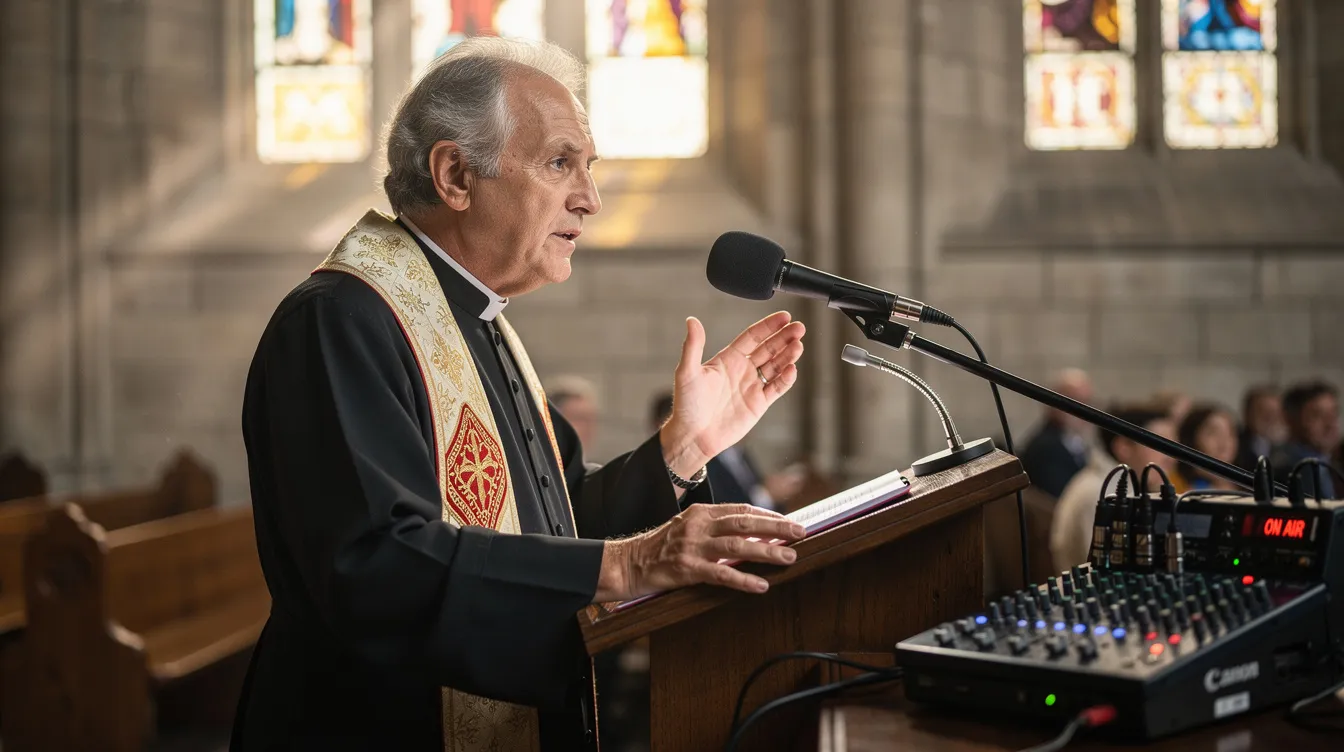
The ministry benefits are real. Your station can extend sermons beyond Sunday, share worship music throughout the week, support prayer and devotional life for members walking through difficult seasons, and connect with your Spanish-speaking or diaspora community across the globe. It becomes a place where people encounter the word of God on an ordinary Tuesday afternoon, not just during a weekend service.
Churches commonly stream worship sets featuring artists their congregation already sings along with-Elevation Worship, Kari Jobe, Phil Wickham, Chris Tomlin, and Lauren Daigle are familiar voices on many church radio stations. Beyond worship music, you can broadcast Bible teaching, testimony stories of faith and healing, guided prayer times, children’s Bible stories, and even community announcements about local charitable activities.
Online radio also has a practical edge over live video. Audio is lighter on bandwidth, which means fewer streaming hiccups for your listeners. People can listen while driving, cooking, or working without needing to watch a screen. And production is simpler-you do not need cameras, lighting, or a video editor each week.
Zeno.FM is a platform already used by faith-based broadcasters in more than 100 countries, and it helps deliver audio content to over 40 million listeners monthly. That scale makes it realistic for even a small church to launch a station within a week and reach people far beyond the parking lot.
If you want a broader look at how internet radio works, read the step-by-step online radio guide to see the full picture.
Your next step: Gather your pastor, worship leader, and one tech-savvy volunteer for a 30-minute meeting this week. Clarify who you want to reach, what language or languages you will use, and what kind of content matters most to your congregation.
What you need to start a church radio station
You do not need a big studio or an engineering degree-you can start an online radio station with basic equipment most churches already have or can afford on a modest budget.
Here is a practical checklist:
Hardware
- A reliable computer (laptop or desktop) with at least 4 GB of RAM
- Stable broadband internet at the church with consistent upload speed
- A USB microphone for simple setups, or an XLR microphone like the Shure SM58 paired with an entry-level audio interface such as the Focusrite Scarlett Solo
- Closed-back headphones for monitoring audio during live broadcasts
Software and platform
- An internet radio hosting account with Zeno.FM-the Starter plan streams MP3 at 128 kbps and is a good entry point for churches just getting started
- Built-in AzuraCast automation inside Zeno.FM for scheduling worship music, sermons, and other content blocks without manual intervention
- Free audio editing software (such as Audacity) for trimming sermon recordings and cleaning up audio before uploading
Content and music
- Properly licensed Christian music files in MP3 format (more on licensing in the next section)
- Playlists that mix worship music with short spoken segments like scripture readings, devotional thoughts, or praise reflections
- Avoid ripping audio from streaming platforms or unlicensed sources-this creates legal risk your church does not need
Connecting your existing setup
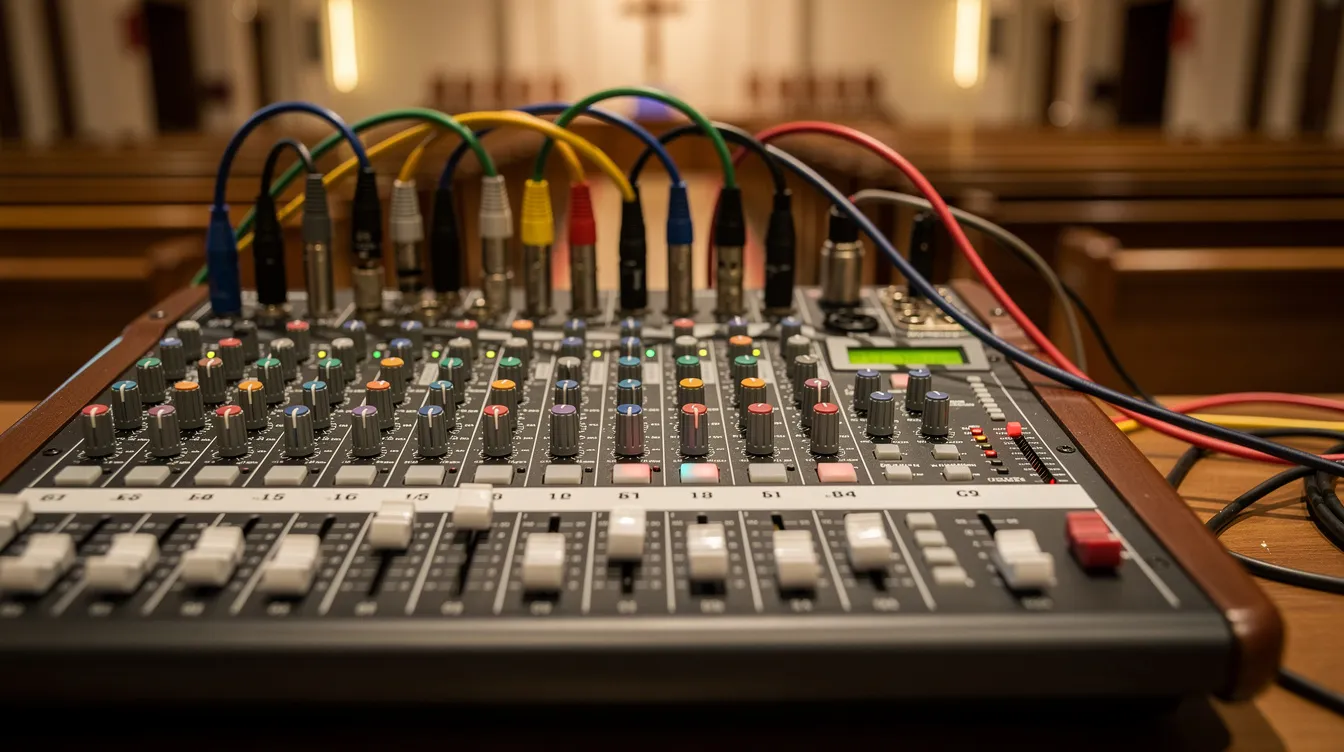
- Most churches already have a soundboard running the room speakers on Sunday. You can route a dedicated mix output from that console into your streaming computer’s audio interface so the Sunday message goes straight into your station feed with minimal extra work.
For deeper guidance on setting up automation, read how to automate your radio station and explore small-station automation with AzuraCast inside Zeno.FM.
Your next step: Create a simple equipment list and budget. Then open the Zeno.FM pricing page to compare Starter, Prime, and Premier plans based on your expected audience size and the features you need.
Music licensing for church radio: what the exemption does and doesn’t cover
Churches need to think about copyright before playing worship music or Christian radio content online. This section gives you an orientation-not legal advice. Always confirm requirements directly with the licensing bodies that apply to your situation.
The religious service exemption
US copyright law includes a narrow exemption under 17 U.S.C. Section 110(3) that covers music performed live during an in-person religious service. If your congregation sings a hymn or your worship team leads praise on a Sunday morning inside the building, that performance is generally covered.
However, that exemption does not extend to streaming the service over the internet, recording it, posting it online, or reproducing lyrics on screen for a broadcast audience. The moment your church transmits a service online or runs a 24/7 radio stream, standard music licensing rules apply.
What licenses you need for online radio
Two separate rights come into play when you broadcast music on the internet:
- Composition rights (the song’s melody and lyrics): These are managed by performing rights organizations-ASCAP, BMI, and SESAC in the United States. You need a license from each organization whose catalog includes songs you play.
- Sound recording rights (the specific recorded version of a song): For non-interactive digital streams-where listeners cannot skip or choose tracks, which describes radio-SoundExchange collects and distributes royalties under a statutory license. You must register with SoundExchange and submit accurate reports of use.
Church-specific licensing options
Two providers offer licenses designed for churches:
- CCLI Church Copyright License covers lyric reproduction, projection, and printing. CCLI also offers a streaming add-on that extends coverage to streaming worship songs during services. This does not replace your obligation to the performing rights organizations or SoundExchange, but it simplifies part of the process.
- Christian Copyright Solutions (CCS) offers performance and webcast licenses that draw on the ASCAP, BMI, and SESAC catalogs, making it easier for churches to handle composition licensing through a single point of contact.
Important clarifications
Zeno.FM does not provide or include music licensing. As the broadcaster, your church is responsible for securing every license required for the worship music and programs you air. Approach this with confidence-the licensing bodies are familiar with church broadcasters and can walk you through what you need.
Your next step: Inventory all the content you plan to broadcast-live worship sets, recorded albums, background worship music, sermon clips that include songs. Then contact ASCAP, BMI, SESAC, SoundExchange, CCLI, or CCS to confirm which licenses are necessary for your specific use.
If your church is outside the US, licensing rules differ by country. Speak directly with a local performing rights organization or church licensing agency before you begin submitting content to your stream.
Choosing what to broadcast: building your programming
Your church radio station can reflect your specific congregation-your language mix, worship style, and teaching approach. Typical content on a church radio station includes music, sermons, and community announcements, but there is room for much more.
Here are content ideas organized by programming block:
Daily blocks
- Morning devotion and prayer: a short live or recorded segment to start the day with scripture and intercession
- Midday worship music: a curated playlist featuring artists like Elevation Worship, Lauren Daigle, Phil Wickham, and Chris Tomlin playing throughout the workday
- Evening teaching: recent sermons from your pastor or a Bible study series walking through a book of scripture
Weekly specialty shows
- Youth hour: student testimonies, discussions about faith and the journey of following Jesus in school and beyond
- Family discipleship: content on church radio can include devotional thoughts and family relationship discussions-practical teaching on marriage, parenting, and walking with the Lord through everyday life
- Missions spotlight: interviews with missionaries sharing stories from the field
- Spanish-language Christian radio hour for bilingual congregations
- Interactive call-in shows that facilitate listener engagement on faith-based issues
Non-music content ideas
- Scripture readings and daily Bible passages people can read along with
- Prayer request segments where members join in intercession for one another
- Testimonies of healing, provision, and the goodness of God in ordinary life
- Children’s Bible stories and audio theater-radio dramas and children’s audio programs provide moral teachings through entertainment
- Emergency information and updates about local charitable activities your church supports
- Community-focused programming is common on church radio stations: think neighborhood events, volunteer opportunities, and ways friends and neighbors can connect
Consistency matters more than variety. Choose fixed time slots-a daily “Worship at Work” block during office hours or a “Night Watch” quiet worship music block late in the evening-so listeners form habits and know what to expect.
To go deeper, learn how to build a sustainable radio programming schedule that keeps your station active without burning out your team.
Your next step: Sketch a simple 7-day grid with three or four repeating blocks-morning, midday, evening, overnight. Assign one or two concrete program ideas to each block. Share the draft with your pastor and worship leader for feedback.
Setting up a 24/7 schedule with automation
Automation lets a small church sound live and active around the clock without someone sitting at a computer all day. You can automate programming with AutoDJ software built right into your Zeno.FM account, and automating programming like this can enhance audience engagement by keeping your station consistently on the air.
Zeno.FM’s built-in AzuraCast tools let you upload sermon MP3s and worship playlists, then assign them to scheduled rotation blocks like “weekday mornings” or “Sunday replay.” The system automatically plays worship music and teaching in the order and frequency you define, filling every hour when no one is broadcasting live.
Here is a simple way to think about three levels of automation:
| Automation level | What it looks like | Good for |
|---|---|---|
| Simple playlist rotation | One mixed playlist of sermons and worship music repeating continuously | Churches just getting started with a station |
| Block scheduling | Separate time blocks for music, teaching, kids’ content, and prayer | Churches ready to give each day a clear structure |
| Advanced rotation | Different playlists for weekday vs. weekend, language-specific hours, seasonal content | Churches with diverse programming and multilingual audiences |
Pay attention to audio normalization and crossfade settings. These ensure worship music and speech segments play at a consistent volume and transitions feel smooth rather than jarring. Most listeners will notice abrupt volume changes before they notice anything else.
For screenshots and detailed configuration steps, the guide on how to automate your radio station walks you through the process inside the Zeno.FM dashboard.
Your next step: Upload three recent sermon MP3s and about one hour of worship music to your Zeno.FM account. Use the scheduling interface to build a simple two-to-three-hour repeating block. Listen to the result on your phone and adjust volume levels before expanding the schedule.
Going live: streaming your Sunday service
Live Sunday streaming is the heart of many church radio stations. It connects people who are sick at home, traveling for work, or exploring faith for the first time-people who want to listen but cannot be in the room. You can broadcast live audio worldwide through your Zeno.FM account with a straightforward signal path.
The signal path
Church soundboard → audio interface (USB or similar) → streaming computer → Zeno.FM live input.
In most setups, this uses the same mix already going to the room speakers. If your sound team can create a dedicated auxiliary send for the stream, that gives you more control-but it is not required to get started.
Starting and stopping a live broadcast
Log into your Zeno.FM dashboard before the service begins, start the live broadcast at the scheduled time, and hand control back to automation when the service ends. The transition from AutoDJ to live and back again is handled by the platform.
Appoint a “Sunday stream host”-a volunteer who checks audio levels, starts and stops the live connection, and can speak briefly before or after the service. A simple “Welcome to our church radio station-we are glad you are here” goes a long way for someone listening alone at home.
Language and translation
If your church offers bilingual services, you can route either the main mix or a dedicated translation feed to the stream. Label the schedule block clearly for listeners so they know which language to expect during each time slot.
Saturday test checklist
- Verify all microphones are working and levels are set
- Run a five-minute test broadcast through Zeno.FM
- Listen from a mobile device in another room
- Confirm the stream switches cleanly between automation and live audio
Your next step: Choose a specific Sunday date in the next four weeks as your “launch Sunday.” Announce the upcoming live radio stream in church and on social media the week before, and equip your stream host volunteer with a written checklist for that day.
Getting your station into listeners’ hands
A church radio station only helps people if they can easily find it and listen wherever they are-at home, in the car, or at work.
Your website and web player
Zeno.FM provides a shareable station page and an embeddable web player your church can place on its website. Add it to your “Media” or “Sermons” page with a clear “Listen Live” button so visitors can click and start listening immediately.
Mobile listening
Members can bookmark the station page on their mobile device home screen for quick access. For a more polished experience, building branded mobile applications can grow your audience-Zeno.FM offers dedicated church apps that make listening simpler and carry your church’s name and identity.
Listening in the car
Many members spend their commute in silence or flipping through secular stations. Show them how to listen to your church radio station through Apple CarPlay and Android Auto so worship music and teaching become part of the daily drive.
Promotion habits
- Mention the station name and link in weekly announcements and printed bulletins
- Share the URL in WhatsApp groups, text chains, and email newsletters
- Frame it around specific use cases: “Play worship music while you cook dinner” or “Christian radio for your workday”
- Ask members to share the station with friends and family who might benefit from hearing the word of God during the week
Your next step: Pick one main URL or QR code for your station. Add it to your church website and social media profiles today. Create a one-page handout that shows members how to listen on a phone-taking five minutes now saves weeks of explaining later.
Turning sermons into podcasts
A church radio station is a continuous stream-listeners tune in and hear whatever is playing at that moment. Podcasts work differently. They are on-demand episodes people can search, download, and play whenever they choose. Having both gives your church the best of both ways to reach people.
AI tools can automate podcast creation from live shows, and Zeno.FM helps convert live shows into on-demand podcasts through Podcast Bot (PodcastBot.ai by Ozen.fm). This tool can automatically capture your live Sunday broadcast and transform it into a podcast episode with minimal manual work.
A simple weekly flow looks like this:
- Stream the Sunday message live on your church radio station.
- Let Podcast Bot generate an on-demand episode from the broadcast.
- Add a short title, description, and scripture reference so people can find it by topic.
- Share the podcast link alongside your radio stream link.
Some listeners prefer tuning in to worship music and teaching as background audio throughout the day. Others want to search for a specific sermon series on marriage, a walk through the book of Genesis, or a message about heaven and hope. Podcasts can be distributed across multiple digital platforms, so your sermons reach people on the apps they already use.
For a deeper look at the technical setup, read about automating your podcast production inside Zeno.FM.
Your next step: Choose one current sermon series and commit to releasing each message as a podcast episode the same week it is preached. Share that link in the same places you promote the radio stream.
Funding your church radio station
Most church radio stations can be sustained on a modest budget when costs and expectations are clear from the start. Church radio stations are often funded through donations and congregational support, and your station does not need to be an exception.
Typical expenses
- Streaming plan fee at Zeno.FM (Starter, Prime, or Premier depending on your audience)
- Microphone, audio interface, and headphones (one-time purchase for most churches)
- Music licensing fees from CCLI, CCS, or the performing rights organizations
- Occasional computer or networking upgrades
Funding sources
- Designated gifts from members who care about media ministry and want to support this form of outreach
- Small business sponsorships from trusted local partners aligned with your church’s values
- Underwritten segments: “This hour of worship music is supported by…” keeps things tasteful and transparent
- Radio stations can generate revenue through audio advertising, and monetization strategies include sponsorships and advertising that fit your church’s standards
Zeno.FM includes monetization tools that can supplement church giving where appropriate. Your church retains control over what kinds of messages are acceptable for your audience. For detailed options, read how to monetize an internet radio station.
Your next step: Estimate your first-year costs on a one-page budget. Identify two or three funding sources-a media line item in the church budget, a special offering, or a handful of monthly supporters-before you launch.
Common mistakes churches make with online radio
Every church is learning as they go. Avoiding a few common mistakes will make your church radio station more effective from day one.
- Launching without a clear schedule. A station with no structure sounds random and loses listeners fast. Create a simple repeating grid and publish it on your church website so people know what is playing and when.
- Ignoring music licensing. Playing worship music or recorded songs without proper licensing puts your church at legal risk. Talk with CCLI, Christian Copyright Solutions, and the US performing rights organizations before you begin. Approach this process with confidence-these organizations work with churches every day.
- Overcomplicating the studio. A setup your volunteers cannot maintain will not last. Start with the basics and add gear only when you outgrow what you have.
- Inconsistent audio levels. If worship music blasts and sermons whisper, listeners will stop tuning in. Use normalization and test your stream from a phone and a car speaker before going live.
- Never testing on a mobile device. Most of your listeners will hear the station on a phone. If you have never listened to your own stream that way, do it before Sunday.
- Failing to tell people the station exists. Do not assume the congregation knows. Announce it from the pulpit, print the link in the bulletin, show people how to listen on their phones, and invite feedback about which programs help the most.
- Not asking for feedback. Your station serves people. Ask them what is good, what is missing, and what helps them in their walk with the Lord throughout the week.
Your next step: Schedule a quarterly 30-minute review with the pastor and media team. Listen to the station together, adjust programming based on feedback, and pray for the people who are listening.
Start your church radio station today
Starting a church radio station is achievable this month. Clarify your vision, secure basic gear and licensing, choose your programming, set up automation, and plan a launch Sunday. Over 40 million listeners engage with audio content monthly across Zeno.FM’s network-your church has the opportunity to join that number with a voice of its own.
Here is a simple first-week plan:
- Create a Zeno.FM account.
- Upload two sermons and one worship playlist.
- Configure a basic 24/7 rotation using the built-in AutoDJ tools.
- Schedule your first live Sunday broadcast.
Visit the Zeno.FM pricing page to choose the right plan, and explore the podcasting overview to see how your sermons can reach people on demand.
Your station is not a side project. It is an ongoing ministry-a voice of Christian radio from your congregation to your city and beyond, led by the same heart that opens the church doors each Sunday. It is accessible on any mobile device, any day of the week, reaching people wherever they are on their journey of faith. The people who need to hear praise, scripture, teaching, and worship are already out there. Today is a good day to start.
July 31, 2026