Free Radio Automation Software Download: AzuraCast vs LibreTime vs Desktop Playout
Running a radio station used to require racks of expensive gear and a full-time engineer. That’s no longer the case. Whether you’re building a solo internet radio station from your bedroom, managing a college FM with thirty volunteers, or keeping a community stream alive overnight with auto dj, there are genuinely free radio automation software options that can get you on air without an enterprise budget.
But “free” doesn’t mean one-size-fits-all. The best radio broadcasting software foryour station depends on how your team works, what gear you already own, and how comfortable you are with a command line versus a mixing desk. This guide compares the three main paths honestly – strengths, limitations, and all.
Quick Answer: The Best Free Radio Automation Software for You
The best software is the one that matches your station’s real workflow. Free radio automation software options exist for managing a radio station at every scale, but each category makes different trade-offs. Here’s the short version:
- Solo online station, minimal budget, okay with basic server setup → AzuraCast. It’s web-based automation software with a built-in auto dj, supports icecast servers and shoutcast, handles cue points, and is already integrated into Zeno.fm for easy streaming.
- Community or college FM with volunteers and a fixed program grid → LibreTime. It offers advanced scheduling through a show-based calendar, browser access for multiple users, and strong playout logging for royalty reporting.
- Studio with a dedicated PC and live DJs who need full control → RadioDJ, PlayIt Live, or similar desktop tools. These give you auxiliary players, cart walls, sound effects triggers, and tight real-time control over broadcast audio.
All three options let you broadcast live or run auto dj around the clock. All three can pair with Zeno.fm’s online radio streaming platform as the streaming and hosting backbone so you don’t have to manage your own streaming servers. And all three are available as a free download – though the total cost of running a station always involves more than just a software license.
Who This Guide Is For (Small, Independent, and Online Stations)
This article is written for operators of small and independent stations – internet-only web radios, community and campus stations, niche genre streams, and small commercial or LPFM operations on a tight budget.
If any of these describe you, keep reading:
- You have limited staff or volunteers and no full-time engineer.
- You need to run unattended overnight using auto dj and music scheduling rules.
- You want simple audio processing and clean transitions but don’t need an enterprise broadcast suite.
- You’d rather spend your budget on music and content than on software licenses.
Radio automation software can manage music libraries and automate scheduling and playout – that’s the core job. If you’re still at the planning stage, a beginner’s guide to starting your own online radio station can help you think through concept, gear, and legal requirements before you choose specific software. Several radio automation tools are available for different platforms including Windows and Linux, so you’re not locked into one operating system. Large enterprise products like Zetta or OmniPlayer are intentionally out of scope here. We’re comparing practical, affordable setups that real small stations actually use.
Option 1: AzuraCast – Free Web-Based Automation with Built-in Auto DJ
AzuraCast is a web-based self-hosted radio management suite, first released around 2017 and actively maintained on GitHub. It bundles everything – auto dj, streaming server, media library, analytics – into a single installation you control through your browser, similar in spirit to Zeno.fm’s own automation platform for running stations 24/7. It’s also integrated directly into Zeno.fm, meaning you can use it without separately setting up stream hosting.
The audio engine under the hood is Liquidsoap, a scripting language that handles crossfades, transitions, cue points, and live DJ hand-offs automatically. You don’t need to learn Liquidsoap scripting to use AzuraCast, but it’s there if you want more control.
Core features for small stations:
- Browser-based interface – no dedicated Windows computer needed for playout
- Multi-station support from a single server (great for networks running multiple genre streams)
- Built-in auto dj with playlist priority, creating rotations, and fallback playlists
- Supports shoutcast and Icecast output, plus direct relay to platforms like Zeno.fm
- Music library management: upload audio files, edit metadata, set cue points and intro markers
- Basic audio processing controls (crossfades, normalization via Liquidsoap and LADSPA plugins)
- Role-based user permissions so multiple DJs can log in remotely
What “free download” means here: AzuraCast is open-source (AGPL-3.0). You download it from GitHub and deploy via Docker on a VPS or dedicated server. The software license costs nothing, but you’ll pay for hosting – typically $5–15/month for a small VPS – or use a platform like Zeno.fm where AzuraCast is bundled.
Honest limitations:
- The calendar and advanced scheduling features are playlist-block oriented, not show-centric. If you need a visual weekly grid with named shows and time slots, it’s less intuitive than LibreTime.
- Self-hosting requires comfort with Docker, SSH, and basic Linux administration.
- Live broadcasting is handled via DJ connection ports or external encoders. AzuraCast doesn’t offer in-studio cart walls or auxiliary players the way desktop tools do.
Best for: Web-only stations, multi-station networks, and technically comfortable founders who want powerful free radio automation software with minimal desktop maintenance.
Option 2: LibreTime – Show-Based Calendar and Collaborative Scheduling
LibreTime is an open-source platform suitable for modern browser-based management, forked from Sourcefabric’s Airtime project after active development on Airtime ceased. The community has maintained it since roughly 2016, with a focus on calendar-driven scheduling that mirrors how terrestrial stations actually program their weeks.
Its core orientation is different from AzuraCast: where AzuraCast thinks in playlists and time blocks, LibreTime thinks in shows. You create a show on the calendar – say, “Tuesday Jazz Hour” – assign it a recurring time slot, and then drag tracks or pre-produced audio content into that slot. This makes it the ideal solution for stations with structured programming.
Main capabilities for small stations:
- Visual calendar with recurring shows, one-off specials, and drag-and-drop track scheduling
- Upload pre-produced shows or podcasts as audio files and drop them into slots
- Auto dj fallback playlists that auto play when no show is scheduled
- Support for Icecast servers and shoutcast output for routing audio to Zeno.fm or other hosts
- User roles and permissions – give each volunteer access only to their own show
- Built-in playout history logging with CSV/PDF export for royalty and licensing reporting
Free download and installation: LibreTime is installed on Linux (typically Ubuntu), usually on a VPS or on-premises server. There’s no paid license. Your cost is server hosting and your own time setting things up. Unlike AzuraCast’s Docker-based approach, LibreTime’s install process involves more manual configuration of dependencies.
Strengths vs. other options:
- Superior for advanced scheduling where you lock in a weekly grid months in advance
- Better for stations mixing live studio shows, repeats, and imported syndicated content
- Strong collaborative workflows – multiple presenters schedule their own content via the browser
Honest downsides:
- The interface feels older and less polished; it lacks some of the quality-of-life touches found in AzuraCast
- The release cycle is slower, and some features may feel unfinished or require manual tweaks
- Less focused on granular per-track tools like detailed cue points and audio processing than desktop systems
Best for: FM, AM, DAB, and online community stations, college radios, and cooperatives that live and die by their show calendar and need many users logging in remotely.
Option 3: Traditional Desktop Automation (RadioDJ, PlayIt Live, SAM, RadioBOSS, mAirList)
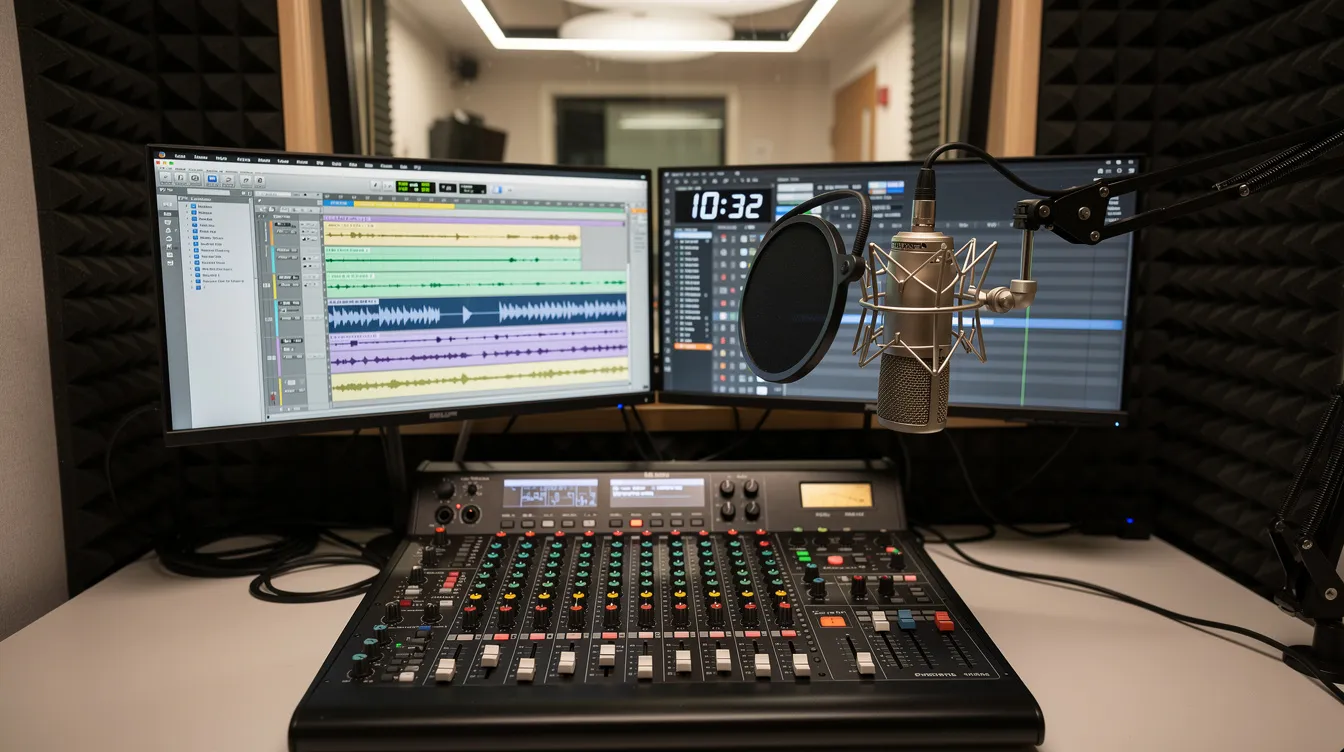
This category covers classic playout system software that runs on a dedicated studio computer. These tools are built for presenters who sit in front of a screen and a mixing desk and want more control over every transition, every jingle, every segue.
Key examples and pricing:
- RadioDJ – free, open-source, and highly popular for advanced functionality in radio automation. RadioDJ is a popular free radio automation software that supports unlimited track categories and advanced scheduling, and allows automated scheduling of shows and commercials. It supports an unlimited number of auxiliary players. However, RadioDJ needs an external database like MySQL for setup.
- PlayIt Live – offers a modern interface and intuitive functionality. The free core (v2.17, June 2026) includes live-assist decks, quick carts, and monitored folders. Premium modules (voice tracking, remote management) cost roughly $30/month.
- SAM Broadcaster – SAM Broadcaster Pro is priced at $299 for a one-time fee. It features advanced scheduling and audio processing tools but also requires an external database for installation.
- RadioBOSS – RadioBOSS Express edition is priced at $119.95. It includes a built-in encoder supporting multiple audio codecs, and installation does not need a third-party database.
- mAirList – mAirList Standard Edition costs €400 without advanced features. It’s a professional-grade playout system popular with European stations.
- NextKast – NextKast Standard Version costs $99 and Pro Version $199. It supports multiple audio formats including .mp3 and .wav, offers a built-in podcast rendering feature, and installation does not require a third-party database.
- PlayoutONE Standard – free for hobby stations (the playout system is £99 for the full version), requires Windows 11 for installation, and can output audio to multiple devices simultaneously. PlayoutONE supports audio output to multiple devices, but note that it’s now legacy software without active updates.
Other tools worth knowing: ZaraRadio is known for its simplicity and lightweight nature for automation. Mixxx is free and supports live DJ performances with live decks and built-in streaming capability for radio – useful if your workflow is closer to a virtual dj style than traditional radio. Rivendell is designed for professional environments and is free and open-source, recognized for its reliability and suitable for professional broadcasting. StationPlaylist Studio is another option in this space.
Some radio automation software options include built-in streaming encoders, while others rely on external encoders. If you plan to prioritize live presentation, it’s worth exploring software tools for broadcasting live radio online alongside your automation stack. Some provide features for event logging and multi-studio support.
Common strengths:
- Designed for live broadcasting from a studio with physical mixing desks and a microphone
- Strong live-assist tools: multiple playlist players, cart walls for instant sound effects, auxiliary players for beds and sweepers
- Very fine control over cue points, intro/outro marks, fade points, segue editing, and audio processing
- Excellent when presenters want full control and a tactile feel during a live show
What “free download” means here:
Some are truly free (RadioDJ, limited PlayIt Live). Others offer free trials but require purchasing a license for ongoing use. All are downloadable installers that run locally on Windows, occasionally with database dependencies. Many free radio automation software options allow you to create playlists right out of the box.
Typical limitations:
- Tied to a single computer in the studio – not browser-based, not multi-station out of the box
- Remote control and web access usually require extra tools or paid add-ons
- Most run only on Windows (Mac OS users have fewer options – LadioCast is a free encoder for Mac users, and Mixxx runs cross-platform, but full-featured playout on mac os is limited)
- You still need a streaming server or platform like Zeno.fm to get audio to internet listeners
Best for: Stations with a physical studio, an audio interface, and presenters who need the best software for real-time live broadcasting, cart walls, and sophisticated in-studio workflows.
How These Tools Actually Output Audio (Encoders, Icecast, and Zeno.fm)
Here’s the signal chain in plain language: your automation software generates audio output → that audio goes to a streaming server (Icecast or Shoutcast) → listeners hear it through a web player, app, or smart speaker.
Streaming radio stations can use software like Icecast and Shoutcast for broadcasting. Icecast is free server software that accepts a stream and relays it to your audience. Most small stations either rent an Icecast or Shoutcast server from a host, or use a platform like Zeno.fm that bundles this infrastructure along with web players and directory listings.
How each option connects:
- AzuraCast can act as its own Icecast server or relay to external hosts. Since it’s integrated into Zeno.fm, users can stream audio without managing separate infrastructure.
- LibreTime streams out to Icecast or Shoutcast endpoints, which can be provided by Zeno.fm or another host.
- Desktop tools send audio via a built-in or external encoder. BUTT is a free tool for streaming audio to Shoutcast and Icecast, and many stations use it alongside RadioDJ or PlayIt Live to connect to their Zeno.fm stream URL.
When people search “radio automation software free download,” the software itself may be free, but the streaming capacity to reach listeners almost always depends on a hosting platform such as a cloud-based service for hosting and broadcasting radio globally.
Key Features to Compare When Choosing Free Radio Automation Software
Before picking a tool, write down which features are must-haves versus nice-to-haves for your station. Community feedback indicates users prefer software that is easy to learn and setup – but “easy” means different things depending on your situation, and hosted options like Zeno Automation for running your station 24/7 may change what feels simple or complex.
Here’s your checklist:
- Auto DJ and creating rotations: Can you define playlists, clocks, and rules so music runs unattended? All three categories handle this, but depth varies.
- Advanced scheduling: Do you need a visual calendar with named shows, or are hourly playlist blocks enough?
- Voice tracking: Can you record a voice track – pre-recorded links between songs – so part-time presenters sound live? Desktop tools and some web tools support this as a remote voice tracker feature.
- Audio processing: Does the tool include a built-in compressor or limiter, or do you need external processors to get high quality audio?
- Cue points and intro/outro marks: Can you mark where songs start, where intros end, and where fade points begin?
- Auxiliary players and cart walls: Can you trigger sweepers, beds, and sound effects instantly during a live show?
- Multi-station support and user management: Can you run several internet streams from one installation and give different permissions to DJs?
- Remote access and browser control: Can team members import music, schedule shows, or connect to talk on air from home?
- Playlist generator and rotation rules: Can you create categories and build a playlist generator that automatically fills hours with the right mix of songs and jingles?
Technical Skill and Hosting Requirements (Docker, VPS, and Studio PCs)
A few terms explained simply:
- Docker – a way to package AzuraCast and all its dependencies (web server, database, Liquidsoap) into a single bundle that runs reliably on a server. You don’t install each piece separately.
- VPS (Virtual Private Server) – a rented computer in the cloud. You access it over the internet, install your software, and it runs 24/7 without needing a physical machine at your location.
Infrastructure expectations differ sharply:
| Setup | Where it runs | Stays on 24/7? | Skill needed |
|---|---|---|---|
| AzuraCast | VPS or dedicated server (Docker) | Yes, cloud-hosted | Medium – command line, SSH, basic Linux |
| LibreTime | VPS or on-premises Linux server | Yes, cloud or local | Medium – Linux admin, manual config |
| Desktop tools | Physical Windows PC in studio | Only if PC stays on | Low-Medium – Windows familiarity, possibly database setup |
If you’re comfortable with a command line, cloud-hosted AzuraCast or LibreTime is cost-effective and runs without your physical presence. If you’re non-technical, consider a hosted AzuraCast solution through Zeno.fm, or start with a desktop automation program on your studio computer plus a reliable streaming host.
Either way, plan for redundancy. Cloud setups need regular backups or snapshots. Studio PCs need a UPS power supply and regular disk imaging. Recording your configuration steps in a document helps if your tech person moves on.
Use-Case Recommendations by Station Type
Different stations need different setups. Here’s how to match your profile to the right tool:
One-person online station: You want to schedule playlists, import music into a library, and sleep while auto dj runs. Recommendation: AzuraCast on a small VPS or via Zeno.fm integration. Add a simple live encoder for occasional live broadcasting when you want to connect and talk on air.
Community or college station with many volunteers: You need a show-based grid, recurring programs, and remote access for 10–30 people. Recommendation: LibreTime for automation and the calendar. Stream via Icecast on Zeno.fm. For in-studio shows, feed a desktop mixer into LibreTime’s live input.
Small commercial or LPFM with one main studio: You have a central studio PC, mixing desk, and audio interface. You need strong live-assist, auxiliary players, and numerous features for on-air talent. Recommendation: a desktop playout system like RadioDJ or PlayIt Live, with an external encoder pushing audio to Zeno.fm or another streaming host.
Multi-channel online network: You want multiple genre streams managed centrally from one place. Recommendation: AzuraCast with multi-station support on a larger VPS. Combine with desktop tools for high-production flagship shows if needed.
Mixing models is valid. Many stations use a desktop tool in the studio for live shows, feeding into AzuraCast for backup auto dj when nobody is live. You don’t have to pick only one – you can use what works for each part of your day.
Comparison Table: AzuraCast vs LibreTime vs Desktop Automation
| Feature | AzuraCast | LibreTime | Desktop (RadioDJ, PlayIt Live, etc.) |
|---|---|---|---|
| License cost | Free (AGPL-3.0) | Free (AGPLv3) | Free core (RadioDJ, PlayIt Live) to $119–$400+ for paid tools |
| Primary interface | Browser | Browser | Windows desktop application |
| Best for | Online stations, multi-station networks | Community/campus stations with show grids | Studio-based stations with live presenters |
| Auto DJ and rotations | Strong – Liquidsoap-powered, playlist priority | Basic fallback – plays when no show scheduled | Excellent – deep rotation rules, clocks, events |
| Advanced scheduling / calendar | Limited visual calendar, playlist-block based | Strong show calendar with recurring slots | Varies – timed events, less show-centric |
| Voice tracking | Limited | Basic | Strong (PlayIt Live premium, RadioDJ, mAirList) |
| Audio processing | Basic (Liquidsoap filters, LADSPA) | Minimal built-in | Strong built-in or via external hardware |
| Live-assist tools | Minimal – no cart walls | Minimal | Excellent – cart walls, auxiliary players, double click triggers |
| Multi-station support | Yes – multiple stations per server | Possible but less streamlined | No – one station per install |
| Technical skill required | Medium-High (Docker, Linux) | Medium-High (Linux server admin) | Low-Medium (Windows, possibly database) |
| Streaming integration | Built-in Icecast, integrates with Zeno.fm | Outputs to Icecast/Shoutcast, pairs with Zeno.fm | Needs external encoder (BUTT, etc.) to reach Zeno.fm or hosts |
Key trade-offs the table reveals: If you need a strong show calendar, LibreTime wins but asks you to accept a less polished interface. If you need all the features of live studio control, desktop tools are unmatched but sacrifice browser access and remote management. AzuraCast sits in the middle – modern, web-based, great for auto dj – but less suited to complex terrestrial-style clocks or in-studio workflows.
Limitations and Hidden Costs to Watch Out For
A “free download” does not mean zero cost. Being realistic about this prevents frustration later.
Common hidden costs:
- VPS hosting for AzuraCast or LibreTime: $5–20/month depending on storage and listener count
- Studio hardware for desktop tools: Windows PC, audio interface, UPS, and possibly paid software licenses
- Time spent learning Docker, Linux, or managing databases – your time has value
- External audio processing tools (hardware compressors or plugins) if built-in options don’t deliver high quality audio
- Licensed music usage is required for broadcasting even with free software – royalties and licensing fees apply regardless of your automation choice
Known limitations per option:
- AzuraCast: Weaker calendar views for complex terrestrial-style programming clocks
- LibreTime: Slower development cycle, some rough edges, may need manual maintenance when updates lag
- Desktop: Single-point-of-failure studio computer, limited browser access, often Windows-only
Plan for redundancy: keep a fallback auto dj playlist running on AzuraCast or LibreTime, maintain a backup encoder chain to Zeno.fm, and test emergency playlists regularly so dead air never catches you off guard—especially if you’re on one of Zeno.fm’s professional streaming plans designed for scalable online radio.
Verdict Framework: How to Choose and Start Broadcasting
Use these four factors to make your decision:
Team: If you’re solo or have a very small crew, desktop automation or AzuraCast both work. If you have many volunteers who need to log in remotely, upload tracks, and manage their own shows, browser-based tools (AzuraCast or LibreTime) are the ideal solution. Desktop tools favor single-operator control from one location.
Budget: All three paths can stay under a modest monthly budget. AzuraCast and LibreTime cost nothing for the software but require hosting. Desktop tools may be free (RadioDJ) or cost a one-time fee, but you’ll invest more in hardware. Pair any of them with Zeno.fm to avoid managing your own Icecast or Shoutcast infrastructure.
Technical skill: If you’re comfortable with servers and a terminal, AzuraCast or LibreTime deployed on a VPS gives you powerful, always-on radio automation. If you’d rather not touch a command line and already have a Windows computer, start with a desktop playout tool and a hosted stream.
Workflow: Calendar-driven, show-based scheduling points to LibreTime. A 24/7 genre-based auto dj with occasional live shows points to AzuraCast. Heavy live-assist with cart walls, multiple files cued up, and studio mixing points to desktop tools.
Start here: Pick one setup. Run a private test stream for a week. Pair your chosen automation software with Zeno.fm to get an Icecast-compatible stream URL, an embeddable website player, and directory listing. Once you’re reliably on air, gradually add advanced scheduling, voice tracking, and audio processing. You don’t need to launch with every feature – you need to launch.
Next Steps: From Download to First Live Broadcast
Here’s your action checklist:
- Decide which of the three options matches your station profile using the framework above.
- Download and install: AzuraCast or LibreTime on a VPS, or your chosen desktop playout tool on your studio computer.
- Configure basic audio settings: Input and output devices, sample rate, and simple audio processing like normalization. Open your audio output in a new window to preview before going live.
- Build a starter library: Import music into your automation software. Create categories for genres, jingles, and station IDs. Set up a basic rotation or playlist so auto dj has enough songs to run overnight.
- Set up your streaming endpoint on Zeno.fm or another Icecast/Shoutcast host. Connect your automation software to that endpoint.
- Test with a few friends before announcing your station publicly. Check that your stream sounds right, transitions are clean, and metadata shows correctly.
- Iterate: Add cue points, voice tracking, cart walls, and more sophisticated playlists once the basic stream is stable and you’re comfortable with the tools.
With today’s free radio automation software, small and independent stations can achieve professional-sounding results without enterprise budgets. Once you’re on air, focus on audience growth using proven strategies to grow an online radio station fast, and consider turning standout shows into podcasts with podcast hosting and AI automation for live broadcasters. The right setup isn’t the one with the longest feature list – it’s the one that matches your team, your technical needs, and how you actually want to create radio. Pick your tool, start your stream, and get on air.
Zeno.fm Integration and Hosting Plans: Simplifying Your Automation Setup
Both LibreTime and AzuraCast are integral parts of Zeno.fm’s offerings, already integrated into our user-friendly interface through Zeno Tools. This integration streamlines station management by combining automation software, streaming hosting, and web player setup in one place. Whether you choose AzuraCast’s multi-station web-based management or LibreTime’s show-centric calendar scheduling, Zeno.fm makes deployment and maintenance easier by handling server hosting and updates for you.
To take advantage of this seamless experience, explore the Zeno.fm plans that best fit your station’s size and budget. Our plans vary based on listener capacity, storage, and features such as remote DJ access and advanced analytics. Using Zeno.fm means you won’t need to manage your own VPS or server infrastructure, reducing technical barriers and letting you focus on creating great content.
Before committing, review the pricing and features of each plan to ensure it aligns with your station’s workflow and listener goals. By choosing a Zeno.fm plan with integrated AzuraCast or LibreTime, you get a powerful, hassle-free radio automation and streaming setup tailored to small and independent stations.
July 9, 2026