4 Powerful Radio Software to Broadcast Live Radio Online
In an age where short-form videos and algorithm-driven content dominate digital spaces, radio remains a steady and engaging medium for storytelling, culture, and real-time connection. While trends come and go, live audio continues to thrive — especially when powered by internet radio. Live radio broadcasting offers immediacy, intimacy, and a unique voice that cuts through the noise of today’s overstimulated feeds.
This guide is for aspiring broadcasters, hobbyists, and professionals looking to broadcast live radio online using powerful software tools to run their internet radio station.
According to Edison Research (2024), over 75% of U.S. adults listen to some form of audio content every day, and 40% of them engage with live radio streams online. Statista reports that in 2023, more than 60% of global internet users listened to online audio content. These numbers aren’t just stats — they show that live radio isn’t going anywhere. It’s evolving.
Live broadcasting isn’t just a trend — it’s the core of what makes radio impactful. In a world where everything is pre-recorded and curated, going live adds authenticity. You connect in real-time, share relevant updates, and interact with listeners as things happen. It’s about community, spontaneity, and creating a genuine space that music-only platforms like Spotify or Apple Music can’t replicate.
Unlocking the Power of Live Radio Streaming
When you go live, you’re sharing the moment as it unfolds — offering news, commentary, and music in a dynamic way that engages listeners far more deeply than a static playlist.
Live broadcasting brings urgency and freshness to your station. It positions you as a reliable source for up-to-date information, conversations, and entertainment. According to Nielsen (2024), listeners are 42% more likely to stay tuned into live programming than pre-scheduled music blocks.
Also, voice adds personality. While playlists can be algorithmically perfect, they can’t replace the emotional connection formed through live conversation, reactions, or shout-outs. This creates community and loyalty — two things that keep your audience coming back.
By going live, you create appointment-based listening. Your listeners will tune in at specific times because they want to hear you — not just the music. This is your chance to build a loyal audience through original talk segments, authentic conversations, and content that resonates beyond the playlist.
So… How Do You Broadcast Live with Online Radio Broadcasting?
To broadcast live radio online, you’ll need broadcasting software, basic equipment like a computer, a stable internet connection, a microphone, and a broadcast encoder — the bridge that sends your live audio feed to your station’s stream. A server is needed to receive broadcasts and distribute them to listeners.
A broadcast encoder is specialized software needed to manage audio and connect to a streaming server. Live streaming encoders convert audio for broadcast to a streaming server.
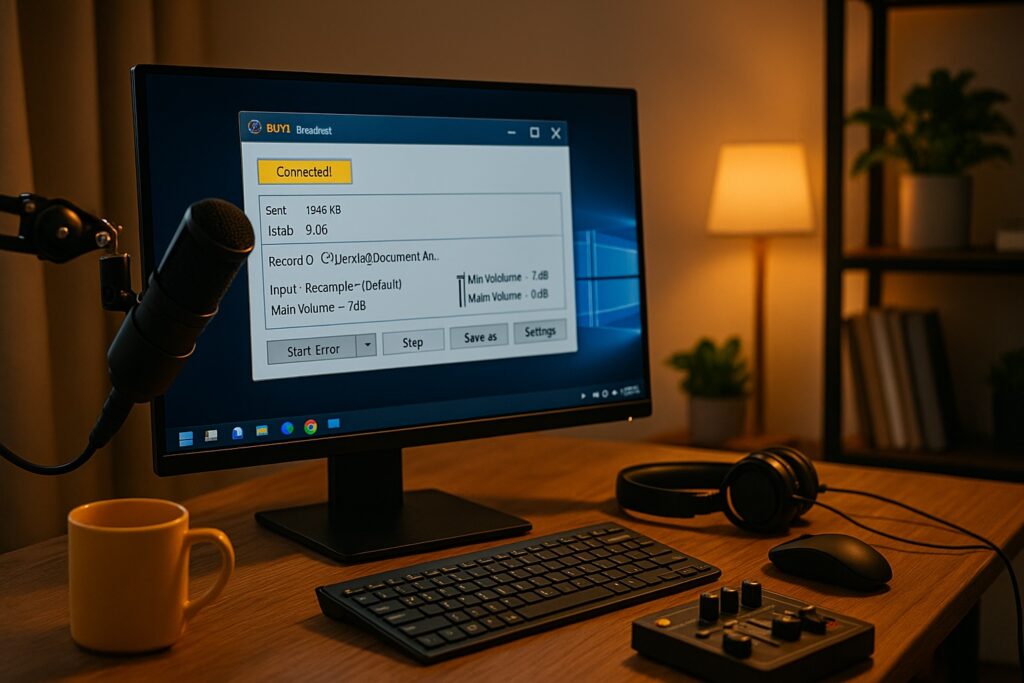
A broadcast encoder is one type of software used in online radio broadcasting, capturing your microphone/audio input and sending it to your online radio platform. It’s essential for real-time streaming. The encoder converts your audio into a streamable format and connects it to your online station in seconds.
Broadcasting live involves actively managing your audio feed in real-time, interacting with your audience, and delivering spontaneous content as it happens. In contrast, radio automation software allows you to manage playlists, schedule content ahead of time, and automate playback without needing to be live. Automation is ideal for continuous broadcasting, especially when live hosting isn’t possible, ensuring your station runs smoothly around the clock.
Setting up is easier than you might think:
- Download a compatible encoder.
- Connect it to your microphone or mixer to complete the setup and keep basic control over your inputs.
- Input your station stream URL and credentials (provided in Zeno Tools).
- Hit broadcast — and you’re live!
You can also play music between spoken segments while you’re live.
4 Live Radio Encoders for Beginners & Pros
Here’s a closer look at four popular encoders commonly used by every radio broadcaster, whether you’re launching an online radio station or refining an existing setup:
1. BUTT (Broadcast Using This Tool)
- Platforms: Windows, macOS, Linux
- Price: Free and open-source
- Best for: Beginners and hobby broadcasters
BUTT is a simple, lightweight, streamlined platform ideal for new broadcasters who want an easy way to handle live broadcasts. It supports Icecast and SHOUTcast, and works directly with Zeno.
🔧 How to set up BUTT on Zeno Tools
2. RadioBOSS
- Platform: Windows only
- Price: Paid, with free trial available; no credit card required
- Best for: Automated stations and advanced setups
RadioBOSS offers advanced automation, playlist scheduling, auto dj rotation for tracks, jingles, crossfading, and remote management to manage workflows, access controls, and support flexible operations. Ideal for stations with consistent programming.
3. Altacast (formerly Oddcast/Edcast)
- Platforms: Windows only
- Price: Free and open-source
- Commonly used by: Broadcasters using RadioDJ or classic low-resource systems
Altacast is the modern continuation of the older Edcast/Oddcast encoder, widely used in Windows-based radio setups. It supports streaming to Icecast servers using MP3, AAC, Ogg Vorbis or FLAC (depending on installed codecs), and can work standalone or as a plugin for players like Winamp or foobar2000 rather than a full suite like sam broadcaster. It’s a practical way to send audio on air through an online stream.
4. Virtual DJ
- Platforms: Windows, macOS
- Price: Free basic version; Pro version required for live broadcasting features
- Best for: Professional DJs and interactive live sets
Virtual DJ is a powerful tool with video mixing, effects, and direct streaming capabilities, helping shape a polished sound while making it easier for the user to keep direct control over live mixes.
More Ways to Broadcast Live Radio Online
In addition to these encoders, automation software can schedule shows and handle live broadcasting, and browser-based platforms can manage a radio station’s automation and hosting. Some solutions, like Mixxx, blend DJ features with live broadcasting, while others, such as NextKast, offer all-in-one automation and SAM Broadcaster Pro includes multiple mixing decks for show control.
Get Started with Zeno Tools
Accessing Your Stream Credentials
Once you’ve chosen your encoder, Zeno Tools makes it easy to go live. Inside your Zeno dashboard, you’ll find your stream URL, port, and password — practical technical details that cover core technical needs inside the dashboard so you can plug into your encoder and start broadcasting, with built-in services and support that help you get on air smoothly.
Customizing Your Web Player
Zeno also provides a customizable web player to help you share your station on your own website. In your Zeno Tools dashboard, head to the left-hand menu and select Players. From there, you can tailor the player to match your brand — adjust colors, layout, and functionality. Once configured, Zeno gives you multiple embed options so you can easily integrate it into your site and make listening simple across desktops and mobile devices.
From that point on, the world becomes your audience. Whether you’re streaming music, hosting a talk show, running a community news hour, or broadcasting interviews, live radio brings your voice to life — giving your own radio station personality, presence, and power.
So, ready to go live?
Join the new wave of internet radio with Zeno.FM and get your station on the air with less airtime wasted.
August 8, 2025