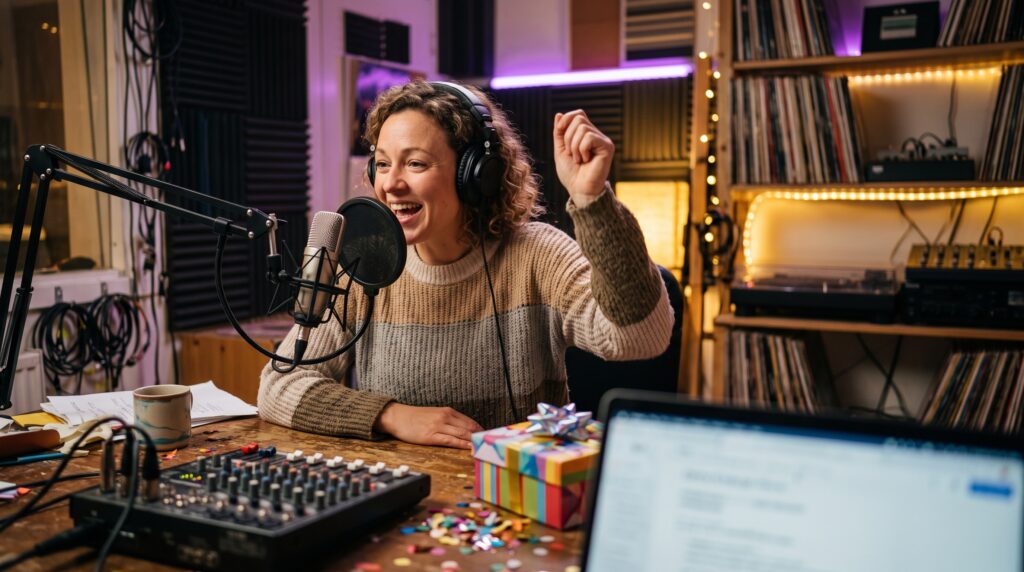
How to Start an Online Radio Station from Home: The Ultimate 2026 Beginner’s Guide
Starting an online radio station from home has never been easier. In 2026, anyone with a computer, internet connection, and the right tools can broadcast worldwide. Whether you’re a DJ, content creator, or brand, this guide will show you exactly how to start an online radio station from home and grow your audience.
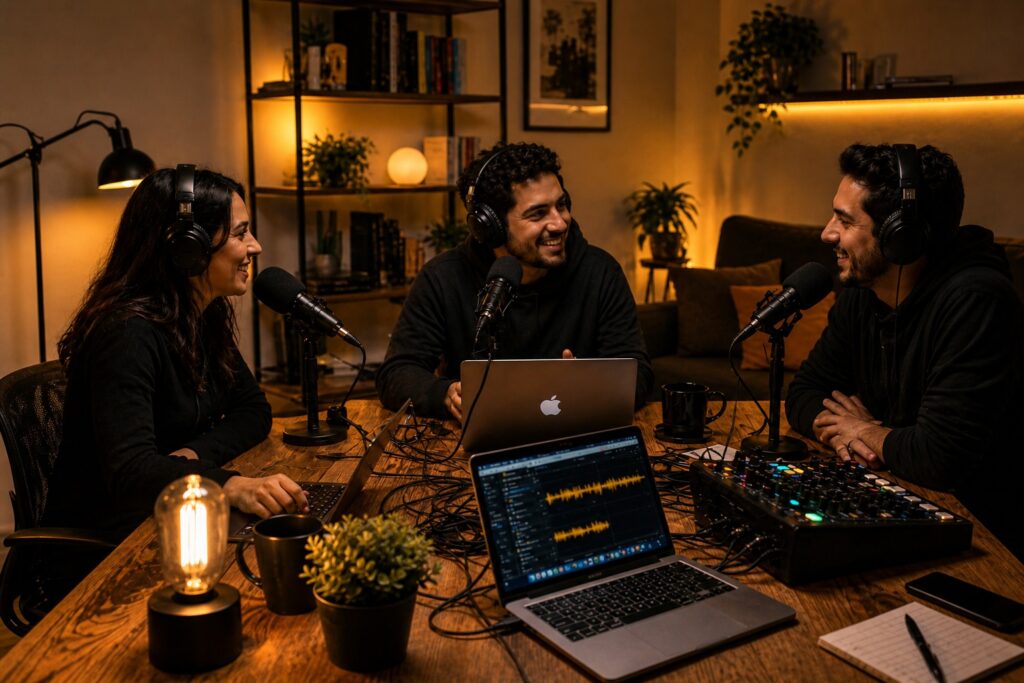
A simple home setup is all you need to start your online radio station.
Today, the landscape has completely shifted. Whether you are a DJ wanting to share a specific music genre, a hobbyist with a passion for niche topics, or a brand looking to engage a community, starting an online radio station from your living room is not only possible—it is incredibly simple.
In this guide, we will break down exactly how to transition from a listener to a professional broadcaster. You will learn the technical setup, the creative planning, and the growth strategies needed to build a successful station in 2026.
What Exactly is an Online Radio Station?
An online radio station, often called web radio or internet radio, is a digital service that broadcasts audio over the internet. Unlike traditional FM/AM radio, which relies on physical transmitters with limited geographic ranges, online radio uses streaming technology.
By using a streaming server to distribute your audio data, you can reach listeners anywhere in the world on almost any device, including smartphones, laptops, and smart speakers.
The Key Benefits of Going Digital:
-
Global Reach: Your broadcast isn’t confined to a city or region; you can be heard in every corner of the globe.
-
Low Barrier to Entry: You don’t need towers. If you have a computer and a stable internet connection, you have a station.
-
Niche Freedom: You can focus on hyper-specific programming, from 80s Synthwave to local sports or mental health talk shows.
Step 1: Define Your Concept and Identity
The most successful stations all share one thing: a clear, unmistakable identity. And that starts with a plan—before you even touch the microphone.
Finding Your Niche
Don’t try to be everything to everyone. In a crowded digital landscape, the most successful stations focus on a specific “listener persona.” By narrowing your focus, you become the primary destination for that audience rather than just another background noise option.
Music Focus:
-
Lo-Fi hip-hop
-
Afrobeat
-
K-Pop
The Hispanic Opportunity:
-
Reggaeton classics
-
Regional Mexican
-
Bachata
-
Latin Indie
Talk Focus:
-
Tech news
-
Sustainability
-
Local community updates
-
Specialized hobbies like retro gaming or urban gardening
2.2 Important Note on Music Licensing
Whether you are playing the latest Reggaeton hits or 80s Rock, ensuring your station is compliant is your first step. Before you start streaming, please review our Comprehensive Guide to Music Licensing to understand the requirements for your specific platform and country.
Brief Explanation:
To legally broadcast copyrighted materials, you must obtain music licenses. In the US, no federal license is required for internet radio stations, but you must comply with copyright laws and secure licenses from performance rights organizations such as ASCAP. This ensures you avoid penalties and operate within the law.
Step 2: Gear to Start an Online Radio Station from Home
You do not need a professional studio to start. In fact, you can scale your equipment as your audience grows.
The Essentials
-
**Computer and Internet Connection:**At a minimum, you need a computer and an internet connection to start broadcasting—you do not need expensive hardware to get started from home. A reliable computer is essential for managing your content and running your broadcasts, while a stable internet connection is crucial for consistent, uninterrupted streaming.
-
**Headphones:**A decent pair is necessary to monitor audio quality.
-
**Microphone:**A basic USB condenser microphone is sufficient to start broadcasting and will provide clear, professional-sounding audio.
The Audio Upgrades
While your computer’s built-in mic might work for a test run, a dedicated USB microphone—for example, an Audio-Technica or Blue Yeti—will significantly improve the professional sound of your broadcast and how your station sounds on air.
3.3 The Broadcasting Software
To send your audio feed from your computer to your streaming server, you will need broadcasting software, and if you want a more comprehensive option for automation and station management, Airtime Pro is often considered alongside basic encoders. Popular beginner-friendly options include:
-
Mixxx: A free, open-source tool.
-
BUTT (Broadcast Using This Tool): Simple and highly effective for live feeds.
-
Edcast: Another reliable option for sending your audio stream.
Airtime Pro powers over 1,000 radio stations and helps over 1,000 radio stations grow their audience.
Step 3: Choose a Reliable Broadcasting Platform
To reach a global audience, you need a hosting platform that simplifies the technical side of radio without getting in your way. When evaluating your options, focus on three key areas:
-
Reliability
Look for a provider that offers consistent uptime (ideally 99% or higher), ensuring your listeners aren’t met with silence when they tune in. It also helps to choose an established platform trusted for over a decade, as some providers like Radio.co emphasize their long track record. -
Built-in Tools
A strong platform should include features like an Auto-DJ, allowing you to upload MP3 files to the cloud and keep your station running 24/7—even when your computer is offline. -
Monetization
As your station grows, having access to built-in monetization options can make it easier to turn your content into a sustainable venture. Some platforms also support revenue through advertising and sponsorships, giving you built-in paths to earn as you expand.
Platforms vary in scale and features, and some established options such as Radio.co say they have launched over 51,600 stations globally, while Zeno.FM is often chosen for combining the essentials in one place. Radio.co also reports reaching approximately 3 million daily listeners worldwide. Many creators begin with a free trial to explore available features before committing to a subscription.
Step 4: Configuring Your Station for Success
Once you’ve chosen your platform, the next step is setting up the back end—where your station begins to take on its digital identity.
-
Create Your Account
Sign up and obtain your unique stream URL. This serves as your station’s digital address, allowing listeners to access your broadcast from anywhere. Some providers also offer trials with no credit card required, which makes it easier to get started risk-free. -
Set Up Auto-DJ
Upload your music library or pre-recorded segments to ensure continuous streaming, even when you’re not live. You can also organize uploaded content into playlists and schedule them to run automatically. -
Branding
Add a high-resolution logo and write a clear, keyword-rich description (e.g., “Free Online Radio” or “Live [Your Genre] Stream”). This improves your visibility in search and helps listeners quickly understand what your station offers.
For those looking to streamline operations further, platforms like Zeno.FM also provide access to tools such as Zeno Automation software for 24/7 radio, which can assist with scheduling, playlist management, and help you manage day-to-day programming more efficiently while maintaining a consistent broadcast flow. These tools are typically available as part of advanced plans and can be useful as your station grows.
Step 5: Growth Strategies to Find Your Listeners
Building a station is only half the battle; the other half is building an audience. This requires a strategic approach to digital marketing.
1. Optimize for Directories
Most listeners discover new content through aggregators and directories. Ensure your station profile has accurate genre tags and a keyword-rich description to maximize discovery.
2. Master Social Media
Don’t just post links when you go live. Social channels help you connect with listeners beyond the live stream. Engage your audience by sharing:
-
Behind-the-scenes clips of your home studio.
-
Polls asking listeners to vote on the next song or topic.
-
Short “highlight” snippets from your best talk segments.
3. Leverage SEO
Use “long-tail keywords” on your station page. Instead of just using the tag “Jazz,” try something more specific like “Best Smooth Jazz internet radio station for relaxing”. This targets people looking for exactly what you provide.
4. Collaborate and Engage
Invite guests for interviews, or bring in partners and a small team to broaden your reach. When they share the link with their own followers, you get instant access to a new audience. Furthermore, use interactive tools to take song requests, shout-outs, and live call-ins so listeners feel more connected on air and part of the show.
Key Insights for New Broadcasters
-
Consistency is King:
Use Auto-DJ to keep your station running even when you aren’t live. Listeners are more likely to return if they know they will always find high-quality content. -
Mobile Experience:
Most people listen on the go. Encourage your audience to use a mobile app such as the dedicated iOS and Android radio apps Zeno offers or your own for a professional experience during their commute or at the gym. -
Data is Power:
Use an analytics dashboard to see when your listener peaks occur. If you see a spike at 7:00 PM on a specific day, that is the perfect time to debut your best content. -
Own Your Audience:
Social media algorithms can change. Start a newsletter to collect email addresses so your most dedicated fans never miss a special broadcast.
Consistency is King
-
Use Auto-DJ to keep your station running even when you aren’t live, giving you more control over station uptime and programming consistency. Listeners are more likely to return if they know they will always find high-quality content.
Mobile Experience
-
Most people listen on the go. Encourage your audience to use a mobile app such as the Zeno Radio app or your own for a professional experience during their commute or at the gym, and make sure your station website or app download page also makes mobile listening easy.
Data is Power
-
Use an analytics dashboard to see when your listener peaks occur. If you see a spike at 7:00 PM on a specific day, that is the perfect time to debut your best content.
Own Your Audience
-
Social media algorithms can change. Start a newsletter to collect email addresses so your most dedicated fans never miss a special broadcast.
How to Apply This
Starting your journey doesn’t have to be complicated. Start your own online radio station with Zeno streaming — Zeno.fm is designed to be the world’s most accessible broadcasting platform, serving over 100,000 broadcasters.
If you’re ready to leap, here are the most effective ways to get started:
-
Start Streaming:
Set up your station and use professional tools to broadcast live audio. -
Expand to Podcasting:
Repurpose your radio segments and distribute your podcast worldwide. -
Go Mobile:
Provide a seamless listening experience with dedicated iOS and Android apps. -
Professional Plans:
Explore pricing options that include advanced analytics, monetization, and unlimited growth potential.
FAQ: Starting an Online Radio Station
How does online broadcasting actually work?
Traditional radio uses physical transmitters. Online radio is a form of radio broadcasting delivered through a streaming server rather than over the air, which is also the basis of modern live broadcasting from home to any device with an internet connection.
What tools do I need to start?
At a minimum, you need a computer, a stable internet connection, and headphones. Adding a USB microphone and broadcasting software like Mixxx or BUTT will improve your quality. These tools are enough to launch your own radio station from home.
How much does it cost?
The barrier to entry is very low. You can start with a 7-day free trial to explore premium tools, and then choose a subscription plan that fits your growth needs.
Is this beginner-friendly?
Absolutely. Platforms like Zeno.fm are designed to simplify the technical “back-end” so you can focus on creating great content, with the essential features needed to launch from home. Beginner-friendly platforms help you start an internet station without a steep learning curve and start broadcasting faster with full control over the basic setup.
Conclusion
The world is waiting to hear what you have to say. Whether you’re broadcasting local news or the latest underground tracks, the technical hurdles that once held creators back have vanished.
By defining your niche, setting up a simple home studio, and using smart growth strategies like SEO and social media engagement, you can build a global community from your desk. Successful launch and long-term growth also take more than creativity alone—they require a plan for audience, licensing, and making money.
Ready to join the airwaves? Start your 7-day free trial with Zeno.fm today and get your station on air without extra complexity.
April 27, 2026