21 August 2026
Dynamics 365 Master Planning - Simply Explained
M365.FM - Modern work, security, and productivity with Microsoft 365
About
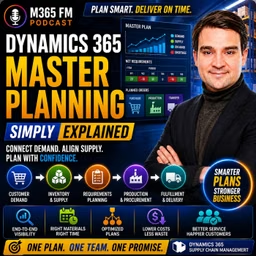
A customer wants 100 bicycles next month. You already have some finished bicycles in stock, wheels are arriving from a supplier, frames are stored somewhere else, and your production line is booked for the next two weeks. What should you buy, what should you build, what should you move—and when does each action need to happen? In this episode of M365 FM, Mirko Peters explains how Dynamics 365 Master Planning connects customer demand, inventory, purchasing, production, bills of materials, lead times, capacity, forecasts, and planned orders to create one connected supply plan.
WHAT IS DYNAMICS 365 MASTER PLANNING?
Dynamics 365 Master Planning is the part of Supply Chain Management that determines how future demand should be covered. Think of your business as an office building with a stockroom attached. Customer orders enter through one door. Inventory sits on shelves. Suppliers deliver materials. Production converts components into finished products. Master Planning looks across all of these activities instead of allowing each team to maintain its own disconnected plan. It combines current demand and available or expected supply, identifies shortages, and suggests actions for planners to review.
WHY A STOCK COUNT ISN'T ENOUGH
Imagine a customer orders 100 bicycles and your warehouse currently contains 30. You still need 70. But those 70 bicycles require frames, wheels, chains, seats, bolts, packaging, employees, machines, and enough production time. A simple inventory report tells you what exists now. It doesn't tell you whether the missing components can arrive before production needs them or whether the factory has enough time to complete the order. Master Planning connects quantity with time.
FROM SPREADSHEETS TO CONNECTED PLANNING
Without connected planning, sales might maintain customer orders in one system while warehouse employees check inventory somewhere else. Purchasing tracks supplier dates in spreadsheets and emails. Production maintains another schedule describing what the factory can build. Each individual list might be correct, but somebody still needs to connect everything to answer one question: Can we deliver what the customer ordered by the promised date? Dynamics 365 Master Planning brings these demand and supply signals together.
MASTER PLANNING VS A SPREADSHEET
Think of a spreadsheet as a photograph. It can provide a useful snapshot of inventory at a particular moment. Master Planning is closer to a forward-looking schedule. It considers quantities alongside dates, future demand, incoming supply, production requirements, and existing inventory. When one of those elements changes, the planning picture can change as well.
THE THREE PLANNING MODES
Dynamics 365 doesn't provide only one way to plan. The episode explains three different planning scenarios: Master Planning focuses on day-to-day and shorter-term requirements. Forecast Planning looks at expected future demand. Intercompany Master Planning connects demand and supply requirements between legal entities. Each starts with demand but answers a different planning question.
MASTER PLANNING AND NET REQUIREMENTS
Master Planning calculates net requirements. The basic concept is straightforward: Demand – Available or Expected Supply = Remaining Requirement Suppose a customer orders 100 units and the warehouse has 30 available. The remaining requirement is 70. If another 20 units are already scheduled to arrive from a supplier before the customer's required date, the uncovered requirement becomes smaller again. Dynamics 365 therefore doesn't simply suggest purchasing or producing the complete customer quantity. It considers supply that already exists or is expected to arrive.
WHY DATES CHANGE THE ANSWER
Having enough inventory eventually isn't the same as having enough inventory when it's required. Suppose 20 additional bicycles arrive from a supplier. If they arrive before the customer needs them, they can help satisfy the demand. If they arrive afterward, they don't solve this particular shortage. Master Planning therefore considers quantity and timing together. A total inventory number without dates can provide a misleading picture of whether customer demand can actually be fulfilled.
THE PLANNING HORIZON
The appropriate planning horizon depends on the business. A company purchasing simple products locally might only need to look several weeks ahead. A manufacturer using components with long supplier lead times may need to plan months ahead. The important principle is that planning needs to look far enough forward to identify shortages while there is still time to respond. Discovering a shortage after the required purchasing or production date has already passed provides very little value.
FORECAST PLANNING
Forecast Planning begins with expected demand rather than confirmed customer orders. A bicycle manufacturer might expect demand to increase during summer. A retailer might anticipate significantly higher sales during a promotion. Waiting until every customer order arrives could leave insufficient time to purchase materials or reserve production capacity. Forecast Planning gives organizations an earlier view of the workload they expect to face.
GROSS REQUIREMENTS
Forecast Planning calculates gross requirements based on expected demand. If the forecast predicts demand for 500 bicycles in July, planning begins with that expected requirement. The organization can then consider the materials, supplier capacity, warehouse space, and production resources potentially required to support that volume. Forecasts aren't guaranteed customer orders. They provide a planning signal allowing the business to prepare before confirmed demand arrives.
INTERCOMPANY MASTER PLANNING
Large organizations may operate several legal entities. One company might manufacture a product while another sells that product in another country. The selling company sees customer demand. The manufacturing company needs visibility into the supply requirements created by that demand. Intercompany Master Planning carries planning signals across company boundaries so each legal entity doesn't plan as though it operates completely independently.
FROM ONE ORDER TO A CHAIN OF SUPPLY
A finished product can create demand for many lower-level components. Suppose a customer orders 70 bicycles. Dynamics 365 can examine the structure of the finished bicycle and determine which components are required to produce those 70 units. That might create requirements for 70 frames, 140 wheels, 70 chains, 70 seats, and hundreds of smaller components. This is where the Bill of Materials becomes critical.
BILL OF MATERIALS EXPLAINED
A Bill of Materials, commonly called a BOM, is essentially the recipe for a manufactured product. For a bicycle, it identifies the frames, wheels, chains, seats, handlebars, brakes, bolts, and other components required for production. Master Planning can expand demand for the finished product into requirements for the components underneath it. Planners therefore don't need to manually calculate every component requirement whenever customer demand changes.
PRODUCTION ROUTES
Having every component available still doesn't automatically create a finished product. Production requires work. A route describes the steps required to manufacture the item. For a bicycle, those steps might include assembling the frame, installing wheels, checking brakes, and packing the finished product. Each operation can require resources such as employees, assembly lines, workbenches, machines, or specialized equipment.
PLANNING BACKWARD FROM THE CUSTOMER DATE
Suppose the customer needs the bicycles on Friday. Production might need to finish Thursday so the warehouse has time to prepare the shipment. Assembly might therefore need to begin Tuesday. Components might need to be available Monday. If a supplier requires ten days to deliver wheels, the purchase order must be placed considerably earlier. The customer delivery date therefore creates a chain of dependent dates stretching backward through production and purchasing.
LEAD TIMES
A lead time represents how long an activity takes. A supplier might require ten days to deliver components. A warehouse transfer could require two days. A production process might require three days. Master Planning uses these lead times when calculating when supply needs to become available. Incorrect lead times can therefore produce incorrect planning suggestions even when the planning calculation itself works perfectly.
PLANNED ORDERS
When existing supply can't cover demand, Dynamics 365 can create a planned order. A planned purchase order suggests buying something from a supplier. A planned production order suggests manufacturing something internally. A planned transfer order suggests moving inventory from another site or warehouse. These planned orders contain suggested quantities and dates based on the information available to the planning engine.
PLANNED ORDERS ARE SUGGESTIONS
A planned order isn't automatically a commitment. Dynamics 365 doesn't need to silently send a purchase order to the supplier or begin production simply because the planning calculation identified a shortage. The planner reviews the suggestion. Is the proposed supplier appropriate? Is the delivery date realistic? Does the quantity make sense? Can production actually handle the work? Master Planning provides the recommendation while the planner remains responsible for the decision.
Become a supporter of this podcast: https://www.spreaker.com/podcast/m365-fm-modern-work-security-and-productivity-with-microsoft-365--6704921/support.
WHAT IS DYNAMICS 365 MASTER PLANNING?
Dynamics 365 Master Planning is the part of Supply Chain Management that determines how future demand should be covered. Think of your business as an office building with a stockroom attached. Customer orders enter through one door. Inventory sits on shelves. Suppliers deliver materials. Production converts components into finished products. Master Planning looks across all of these activities instead of allowing each team to maintain its own disconnected plan. It combines current demand and available or expected supply, identifies shortages, and suggests actions for planners to review.
WHY A STOCK COUNT ISN'T ENOUGH
Imagine a customer orders 100 bicycles and your warehouse currently contains 30. You still need 70. But those 70 bicycles require frames, wheels, chains, seats, bolts, packaging, employees, machines, and enough production time. A simple inventory report tells you what exists now. It doesn't tell you whether the missing components can arrive before production needs them or whether the factory has enough time to complete the order. Master Planning connects quantity with time.
FROM SPREADSHEETS TO CONNECTED PLANNING
Without connected planning, sales might maintain customer orders in one system while warehouse employees check inventory somewhere else. Purchasing tracks supplier dates in spreadsheets and emails. Production maintains another schedule describing what the factory can build. Each individual list might be correct, but somebody still needs to connect everything to answer one question: Can we deliver what the customer ordered by the promised date? Dynamics 365 Master Planning brings these demand and supply signals together.
MASTER PLANNING VS A SPREADSHEET
Think of a spreadsheet as a photograph. It can provide a useful snapshot of inventory at a particular moment. Master Planning is closer to a forward-looking schedule. It considers quantities alongside dates, future demand, incoming supply, production requirements, and existing inventory. When one of those elements changes, the planning picture can change as well.
THE THREE PLANNING MODES
Dynamics 365 doesn't provide only one way to plan. The episode explains three different planning scenarios: Master Planning focuses on day-to-day and shorter-term requirements. Forecast Planning looks at expected future demand. Intercompany Master Planning connects demand and supply requirements between legal entities. Each starts with demand but answers a different planning question.
MASTER PLANNING AND NET REQUIREMENTS
Master Planning calculates net requirements. The basic concept is straightforward: Demand – Available or Expected Supply = Remaining Requirement Suppose a customer orders 100 units and the warehouse has 30 available. The remaining requirement is 70. If another 20 units are already scheduled to arrive from a supplier before the customer's required date, the uncovered requirement becomes smaller again. Dynamics 365 therefore doesn't simply suggest purchasing or producing the complete customer quantity. It considers supply that already exists or is expected to arrive.
WHY DATES CHANGE THE ANSWER
Having enough inventory eventually isn't the same as having enough inventory when it's required. Suppose 20 additional bicycles arrive from a supplier. If they arrive before the customer needs them, they can help satisfy the demand. If they arrive afterward, they don't solve this particular shortage. Master Planning therefore considers quantity and timing together. A total inventory number without dates can provide a misleading picture of whether customer demand can actually be fulfilled.
THE PLANNING HORIZON
The appropriate planning horizon depends on the business. A company purchasing simple products locally might only need to look several weeks ahead. A manufacturer using components with long supplier lead times may need to plan months ahead. The important principle is that planning needs to look far enough forward to identify shortages while there is still time to respond. Discovering a shortage after the required purchasing or production date has already passed provides very little value.
FORECAST PLANNING
Forecast Planning begins with expected demand rather than confirmed customer orders. A bicycle manufacturer might expect demand to increase during summer. A retailer might anticipate significantly higher sales during a promotion. Waiting until every customer order arrives could leave insufficient time to purchase materials or reserve production capacity. Forecast Planning gives organizations an earlier view of the workload they expect to face.
GROSS REQUIREMENTS
Forecast Planning calculates gross requirements based on expected demand. If the forecast predicts demand for 500 bicycles in July, planning begins with that expected requirement. The organization can then consider the materials, supplier capacity, warehouse space, and production resources potentially required to support that volume. Forecasts aren't guaranteed customer orders. They provide a planning signal allowing the business to prepare before confirmed demand arrives.
INTERCOMPANY MASTER PLANNING
Large organizations may operate several legal entities. One company might manufacture a product while another sells that product in another country. The selling company sees customer demand. The manufacturing company needs visibility into the supply requirements created by that demand. Intercompany Master Planning carries planning signals across company boundaries so each legal entity doesn't plan as though it operates completely independently.
FROM ONE ORDER TO A CHAIN OF SUPPLY
A finished product can create demand for many lower-level components. Suppose a customer orders 70 bicycles. Dynamics 365 can examine the structure of the finished bicycle and determine which components are required to produce those 70 units. That might create requirements for 70 frames, 140 wheels, 70 chains, 70 seats, and hundreds of smaller components. This is where the Bill of Materials becomes critical.
BILL OF MATERIALS EXPLAINED
A Bill of Materials, commonly called a BOM, is essentially the recipe for a manufactured product. For a bicycle, it identifies the frames, wheels, chains, seats, handlebars, brakes, bolts, and other components required for production. Master Planning can expand demand for the finished product into requirements for the components underneath it. Planners therefore don't need to manually calculate every component requirement whenever customer demand changes.
PRODUCTION ROUTES
Having every component available still doesn't automatically create a finished product. Production requires work. A route describes the steps required to manufacture the item. For a bicycle, those steps might include assembling the frame, installing wheels, checking brakes, and packing the finished product. Each operation can require resources such as employees, assembly lines, workbenches, machines, or specialized equipment.
PLANNING BACKWARD FROM THE CUSTOMER DATE
Suppose the customer needs the bicycles on Friday. Production might need to finish Thursday so the warehouse has time to prepare the shipment. Assembly might therefore need to begin Tuesday. Components might need to be available Monday. If a supplier requires ten days to deliver wheels, the purchase order must be placed considerably earlier. The customer delivery date therefore creates a chain of dependent dates stretching backward through production and purchasing.
LEAD TIMES
A lead time represents how long an activity takes. A supplier might require ten days to deliver components. A warehouse transfer could require two days. A production process might require three days. Master Planning uses these lead times when calculating when supply needs to become available. Incorrect lead times can therefore produce incorrect planning suggestions even when the planning calculation itself works perfectly.
PLANNED ORDERS
When existing supply can't cover demand, Dynamics 365 can create a planned order. A planned purchase order suggests buying something from a supplier. A planned production order suggests manufacturing something internally. A planned transfer order suggests moving inventory from another site or warehouse. These planned orders contain suggested quantities and dates based on the information available to the planning engine.
PLANNED ORDERS ARE SUGGESTIONS
A planned order isn't automatically a commitment. Dynamics 365 doesn't need to silently send a purchase order to the supplier or begin production simply because the planning calculation identified a shortage. The planner reviews the suggestion. Is the proposed supplier appropriate? Is the delivery date realistic? Does the quantity make sense? Can production actually handle the work? Master Planning provides the recommendation while the planner remains responsible for the decision.
Become a supporter of this podcast: https://www.spreaker.com/podcast/m365-fm-modern-work-security-and-productivity-with-microsoft-365--6704921/support.